Private beta · Mac app
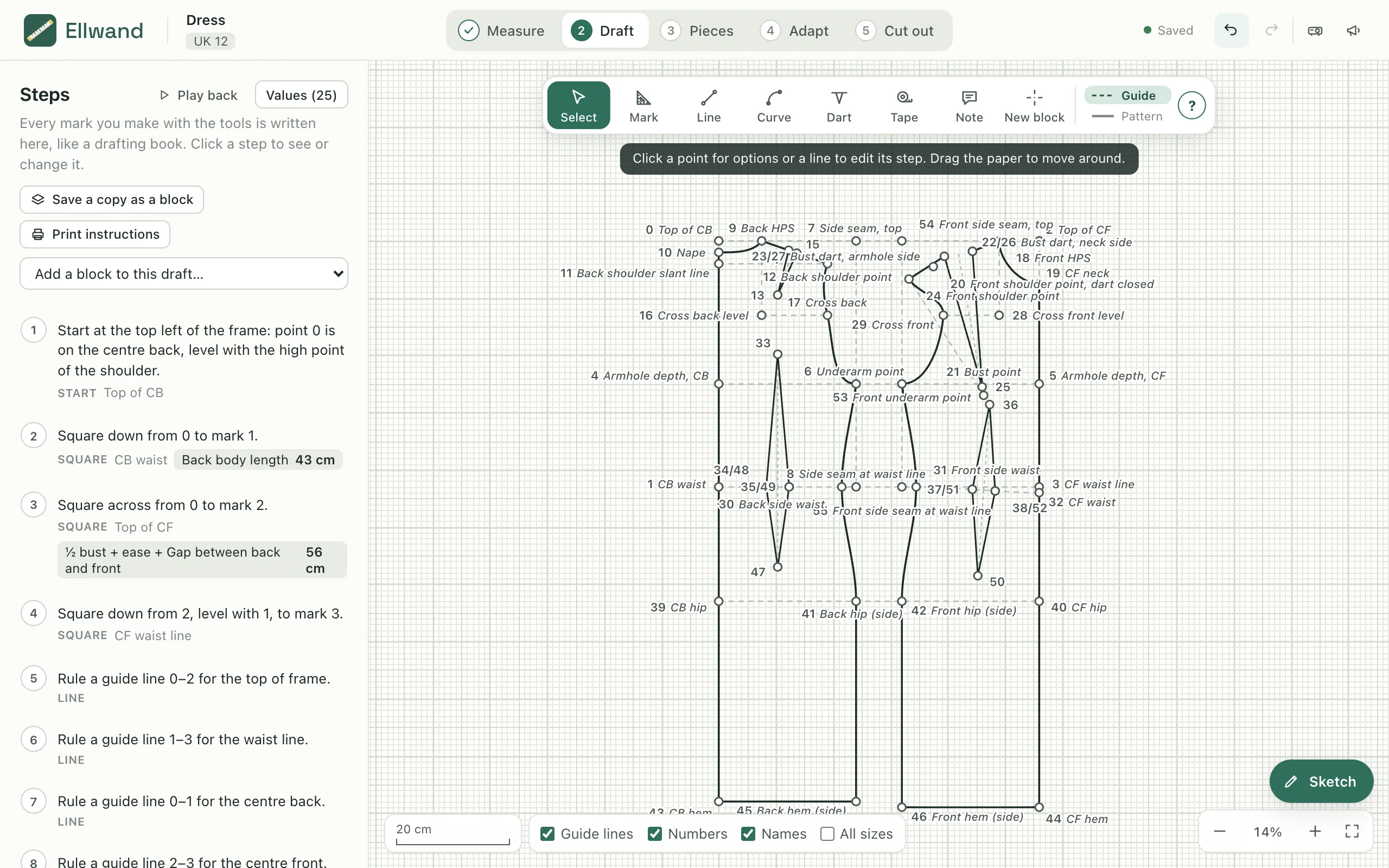
Ellwand drafts sewing patterns the way a pattern-cutting book does: square down from the nape by the back length, out by a quarter of the bust plus ease. The difference is that every line keeps its formula. Change the size, or pick another client, and the whole draft redraws itself.
Why it exists
If you draft your own patterns, you have had two choices. Paper, where you know exactly what you are doing but every size and every client means drawing the block again. Or pattern CAD, which is parametric and powerful, and makes you learn a CAD tool's way of thinking before you can square a line.
A ruler, a curve, a tape and a book. It works, and it teaches you why a block is shaped the way it is.
Seamly2D, Valentina and their kind can do nearly everything. The price is a CAD interface: dozens of tools, modes and dialogs, and a model of drafting that isn't the one in your book.
Draft with the same five gestures you use at the table. Ellwand writes each one down as a step with its formula, so the draft is a recipe that re-cooks itself for any body.
The goal is a pattern-drafting app that a sewing teacher can put in front of a class, and a dressmaker can keep a client list in: organised, intuitive, and still customisable all the way down.
Ellwand grew out of a sewing teacher's classes. The brief was simple: everything the big packages can do that a pattern cutter actually needs, with the clutter taken out, in an app that behaves like a Mac app. Where there is a choice between adding a setting and picking a good default, it picks the default. Where a gesture can finish without a dialog, it does.
The idea
Try it. This is a skirt-front frame drafted the way a book would do it. Pick a size, or change the length, and watch the steps re-work themselves. That is all Ellwand does, for every line of every block, every time.
Change a size, or a client's hip, and nothing needs redrawing: the steps are the pattern. In the app the same list drives the pieces, the slash-and-spread designs, the printed handout and the projector.
Five stages, in the order you'd work on paper
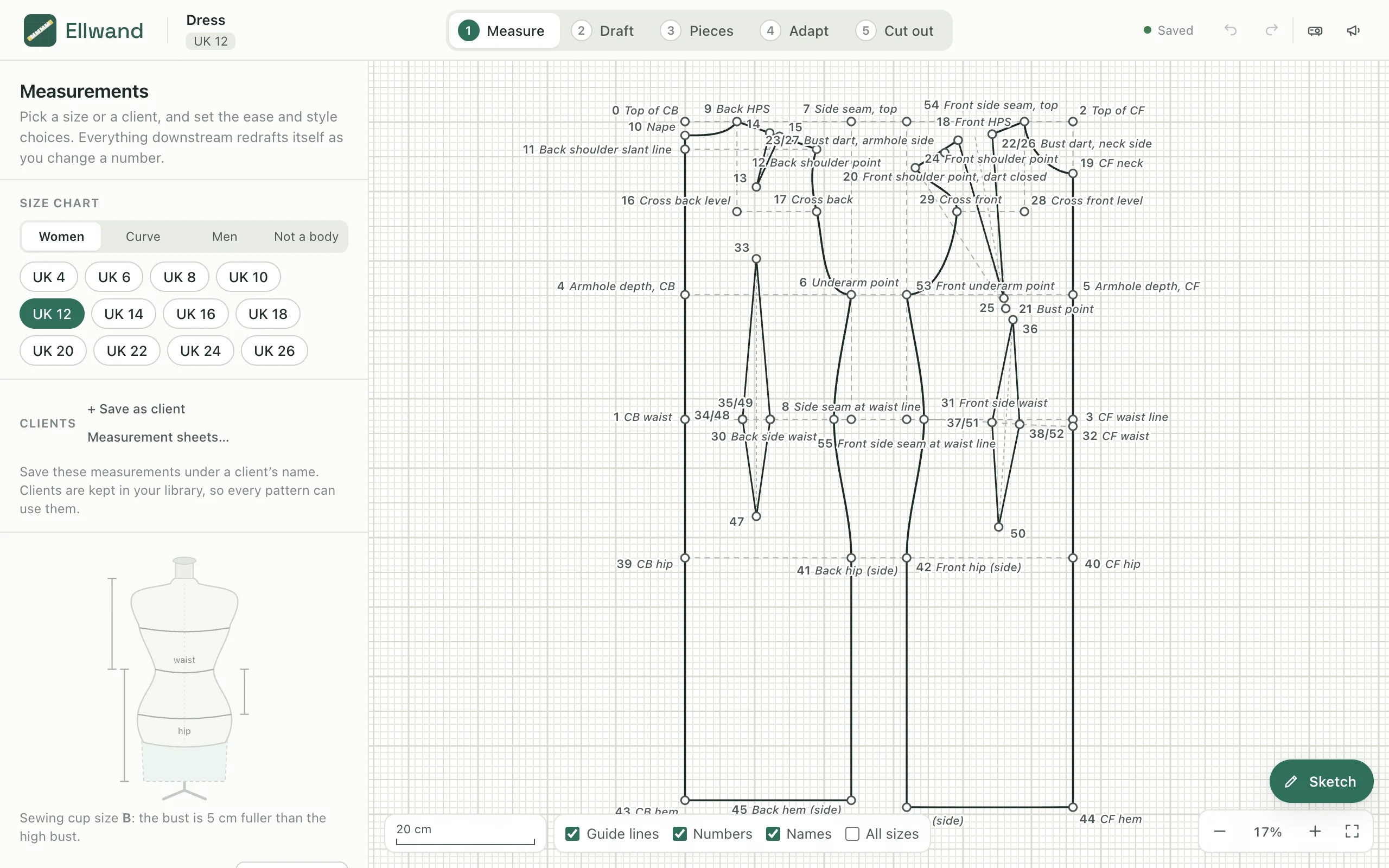
Pick a size from a chart, or a client's own measurement sheet, and set the ease and style choices. The draft on the right redraws as you type.

Draw the block with a mark, a line, a curve, a dart and a tape. Drag out from a point with the ruler and it snaps square, to 45°, towards another point, or square off the shoulder slope. Let go and type how far: 12, Skirt length or ½ hip + 2.

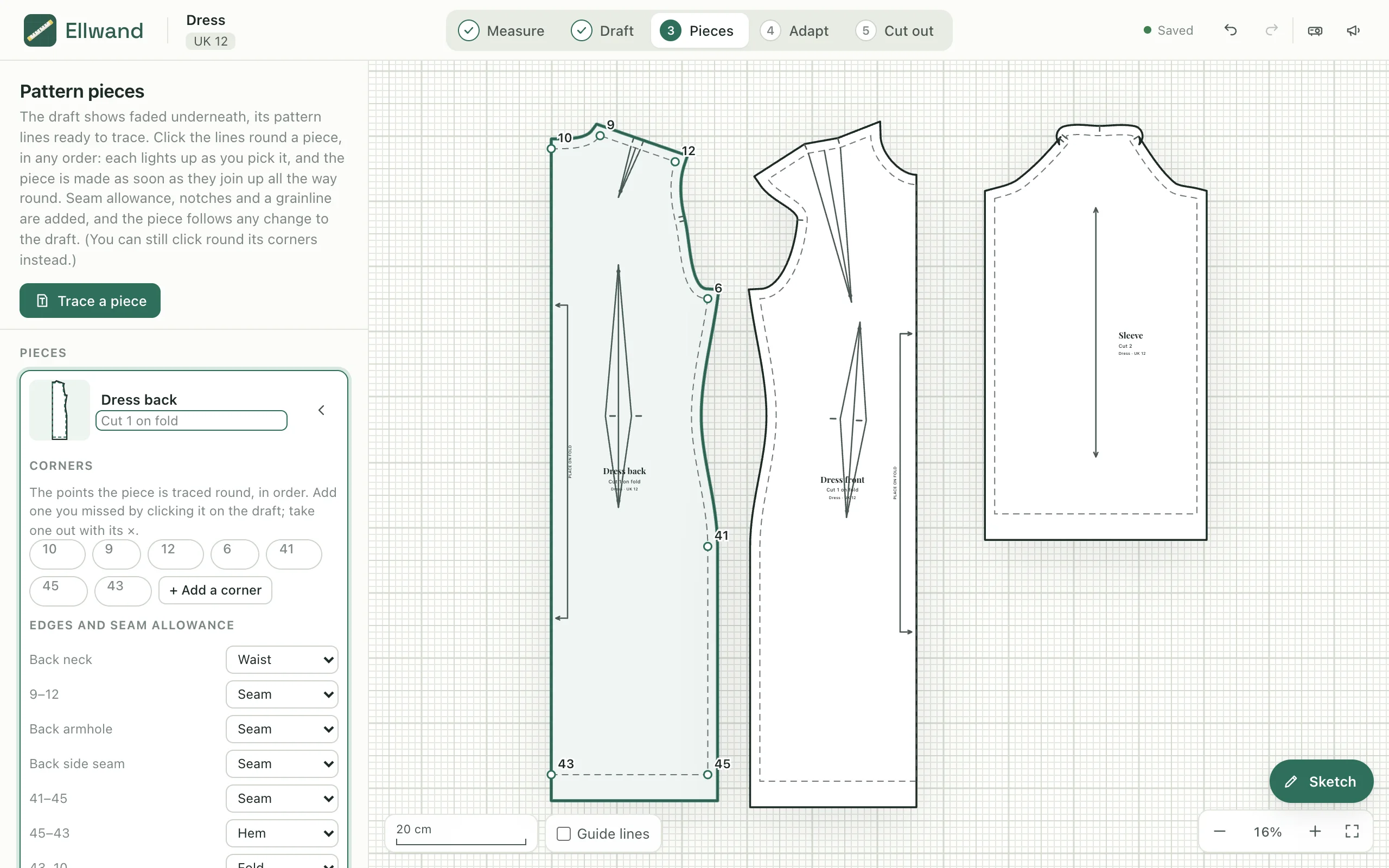
The draft shows faded under the paper. Click round a piece's corners like running a tracing wheel and it appears with its seam allowance, the darts picked up on the way.

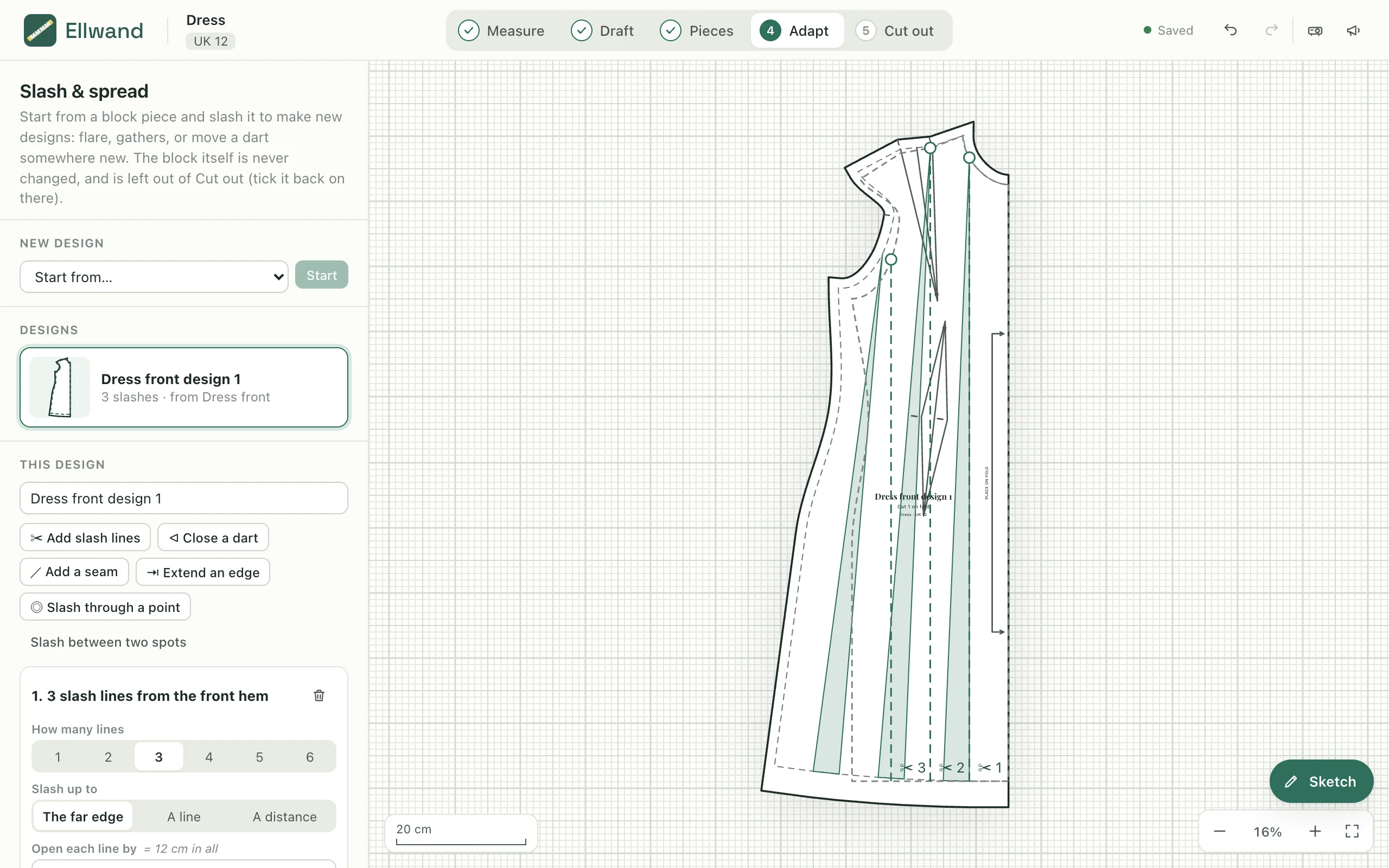
Turn a block into a design the way it's done on paper, and the block itself is never touched. Click the hem, say how many slash lines and how much to open each one, and fan them out for flare or spread them evenly for gathers.

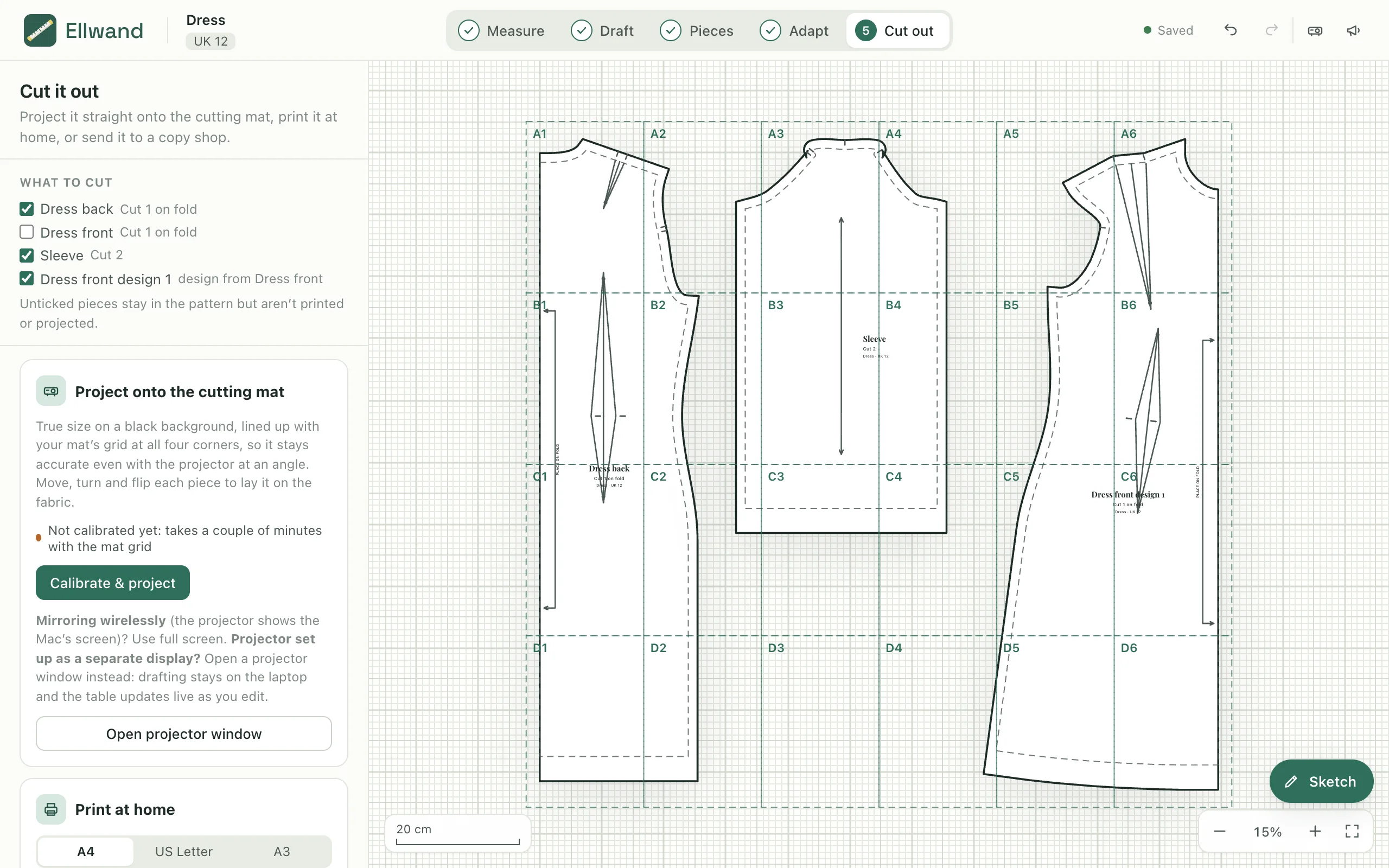
Tick which pieces to cut. Then project them at true size onto the cutting mat, print them tiled at home, or send a full-size file to a copy shop.

The sketch pad pops up over any stage. Draw the design as a flat over a figure that is the size you're drafting, eight heads tall and as wide as its measurements, with three line weights, mirroring, and a library of silhouettes, necklines, collars, sleeves and pockets to drop on and reshape.

What's in the beta
The beta already does the whole job, from a client's tape measure to the fabric. These are the parts people ask about most.
A projector or A0 file comes in at the size you wear, one piece per draft block, with its names, grainlines and notches. Print-at-home pages are put back together by the lines they share, and a nested sheet is read through its size key. Then adapt it and project it like one you drafted.
Line a grid up with the mat at four corners and the projection is true to size even with the projector off-centre. Full screen for a mirrored display, or a live projector window for a second one.
One sheet per client, kept in the library and shared by every pattern. Change a client's hip and every pattern drafted for them follows. The sewing cup size is worked out from the high and full bust.
½ hip + 2, Skirt length, 5% of Hip, radius of Waist for a circle skirt, dist(2, 6) / 3. Name a value once and use it in any step. Sliders on a formula change its constant and leave the rest following the size.
Women's UK 4–26 graded from Lo's Pattern Making; a curve chart UK 16–36 from Ahead of the Curve with cup groups; men's by chest after Aldrich; children by age; or no body at all. Swap in your own numbers whenever you like.
A bodice, its sleeve and its collar in one pattern, each measuring from the others. Save any draft as a block, and start every new pattern from your own tested blocks, never from a stranger's.
Play back replays a draft step by step. Print instructions makes a handout with the measurements, the numbered steps and the finished draft, so a class can follow the same block at their own sizes.
Every pattern and block is a file in Documents › Ellwand, named after it, saving itself as you work. Back them up, send them, keep them in iCloud. Nothing leaves your Mac, and there is no account.
Connect the app to Claude Desktop and ask in plain words: make a new pattern from my bodice block and add 1 cm to the side seams. Claude reads the steps, makes the change, checks the seams still match, and the app picks it up with Undo ready.
Who it's for
Draft a block in front of the class, play it back, and hand out the instructions. Every student drafts the same block at their own measurements, and sees why each line goes where it does.
Keep one measurement sheet per client and one block per style. A new client is a new sheet, not a new draft. A re-measure after a fitting flows through every pattern you've made for them.
Bring in a bought PDF at your size, move a dart, add flare, do a full-bust adjustment, and project it onto the table. Or learn to draft your own block from a book, one written step at a time.
Private beta
Ellwand isn't on sale yet. If you'd like to try it, write and say a little about what you sew: who you make for, whether you draft already, and what you'd want it to do first.
The name
An ell long, marked off into halves, quarters and eighths with brass nails. The same word was used on both sides of the North Sea, in the cloth halls of England, Scotland and the Low Countries. The app's mark is one of them, laid across a cutting mat: a measuring stick that knows its fractions, which is more or less what the app is.